Link to my game Clicker Clicker: here
For this assignment, the first game prototype I had to make was a game inspired by Cookie Clicker. This game is a relatively simple concept where the player is required to click a button repeatedly to generate ‘Cookies’. As they earn increasingly more, they can buy upgrades to increase the production of these.
Deciding a Theme
At first, I didn’t have a clear idea of what kind of clicker I wanted to create, but I eventually decided on Clicker Clicker. This idea is a play on the original game itself, as in my version I used a pixel art version of Cookie Clicker displayed on a monitor, so you are playing a game about playing the original version.
Sprites

After I had my initial idea for the game’s concept, the first sprite I made was for the main button in the game. Once I had decided on creating pixel art, I also created the other buttons for the game in the same style using Photoshop. I also chose to use a custom font for the game called ‘Cute Frog’, which is a cartoon-like font which I think works well within my game

Scripting
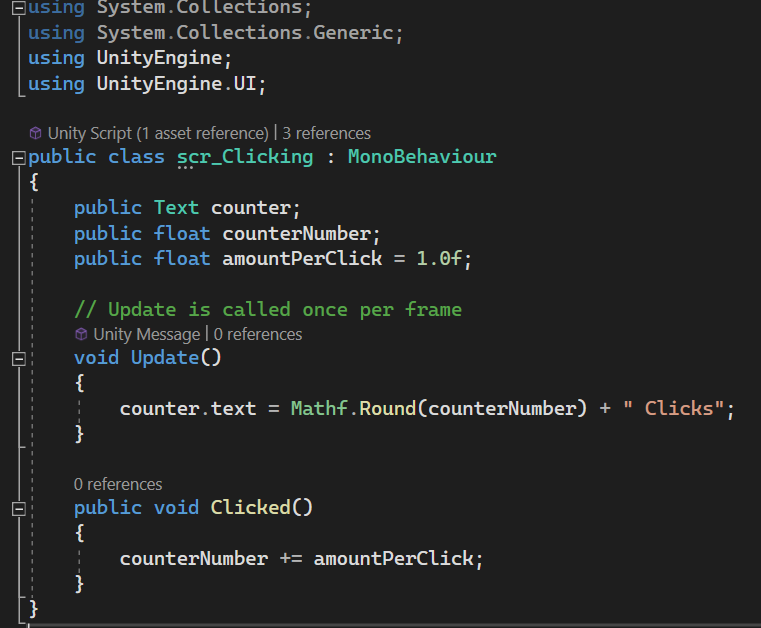
The first script I created in C# for this game was for clicking the main button. In this script that I named ‘scr_Clicking’, I first made sure to specify that I was using UnityEngine.UI, as a majority of the assets I used are a form of UI and would not function otherwise. I next added some variables for the click counter text and how much the number would increase per click, which was one. Seeing as the number of clicks was a float value, I needed to use Mathf.Round function in the void update, which is an area for scripts that need to be called once per frame. This is a math-related function that rounds the current float value to a whole number and makes the game display the correct number of clicks. The final piece of code in this script is a variable which makes the counter number display the current number of clicks, bringing the script together.
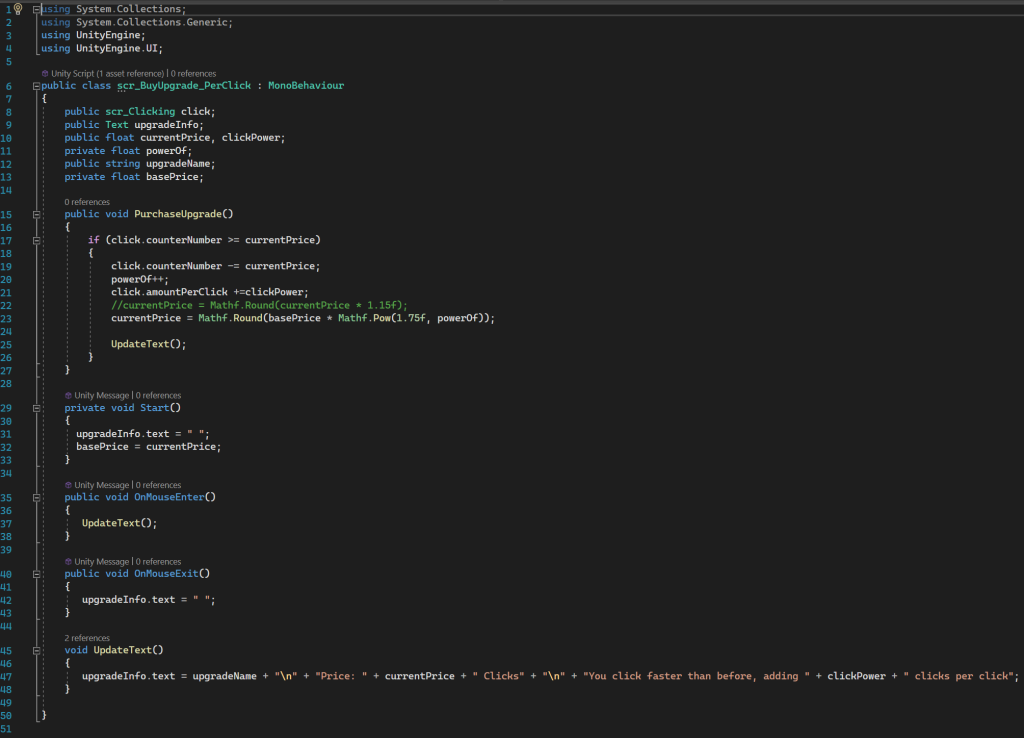
The next script I created was for the first of the two upgrades I implemented. I chose to name this upgrade ‘Double Click’, as the script functions to increase the number of clicks added per click. What this script essentially does is actively increase the price of each upgrade per purchase so that the game is continually balanced. This is done by using Mathf.Pow(1.75f, powerOf), which multiplies the current price of the upgrade by the power of 1.75 each time it is purchased. The script also uses an ‘if’ statement which determines when to increase the number of clicks per click based on whether the upgrade has been purchased or not.
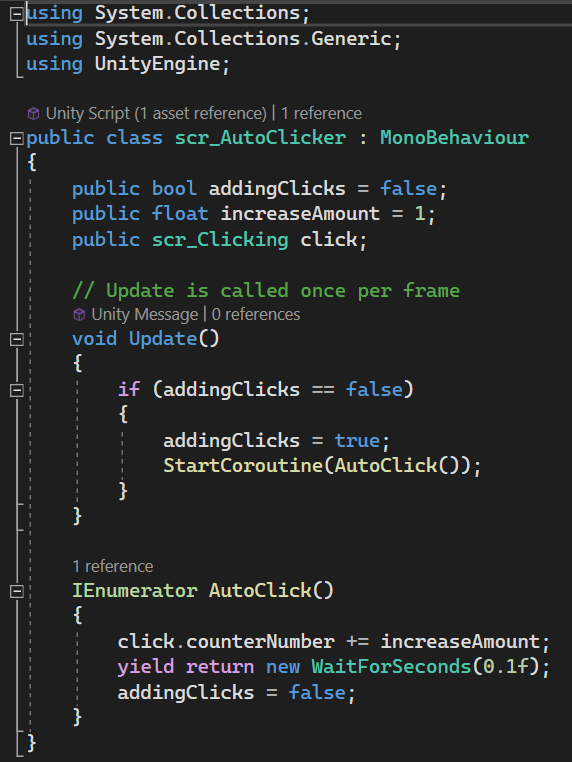
This next script is a part of the next upgrade I added which was ‘Auto Click’. In this script, I created a coroutine which determines how much the clicker counter goes up per second using ‘WaitForSeconds’. I also referenced my first script ‘Clicking’, which allowed me to make the number of clicks increase automatically.
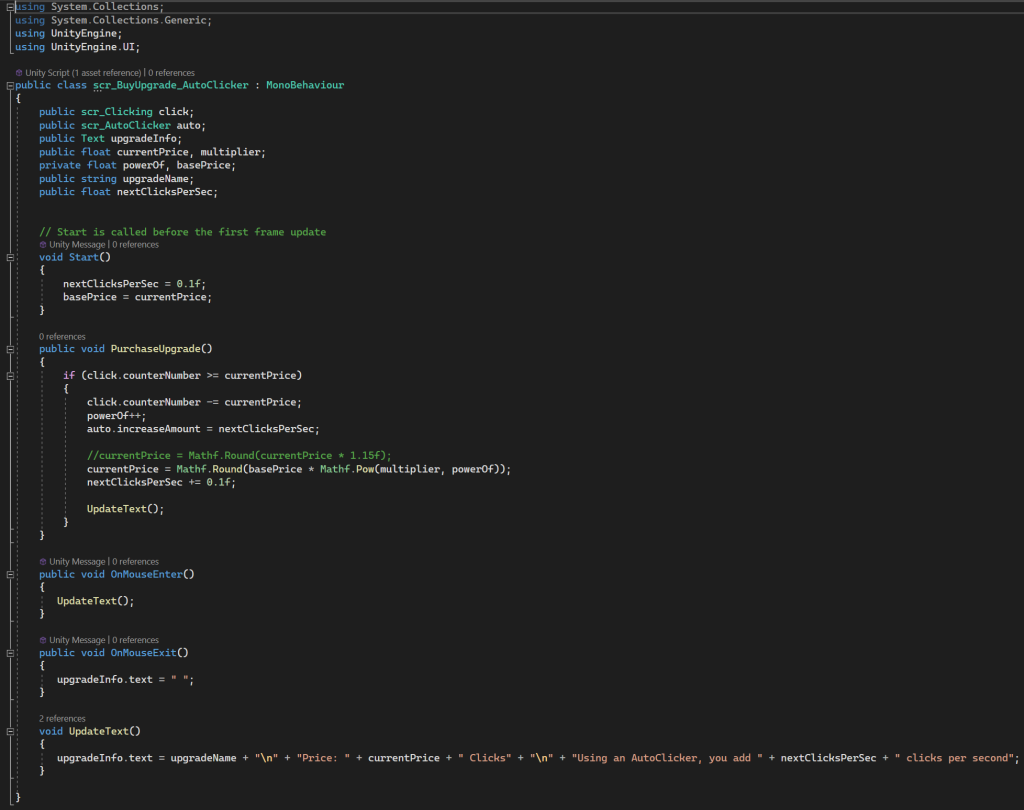
My final script for this prototype functions in a very similar way to my other upgrade, as it allows the player to hover over the upgrade buttons to display the appropriate text beneath it by using ‘OnMouseEnter’ and ‘OnMouseExit’. This script increases the number of clicks added per second by referencing the variable ‘increaseAmount’ that I put into my Auto Clicker script and changing its value as needed.
Game Audio Intergration
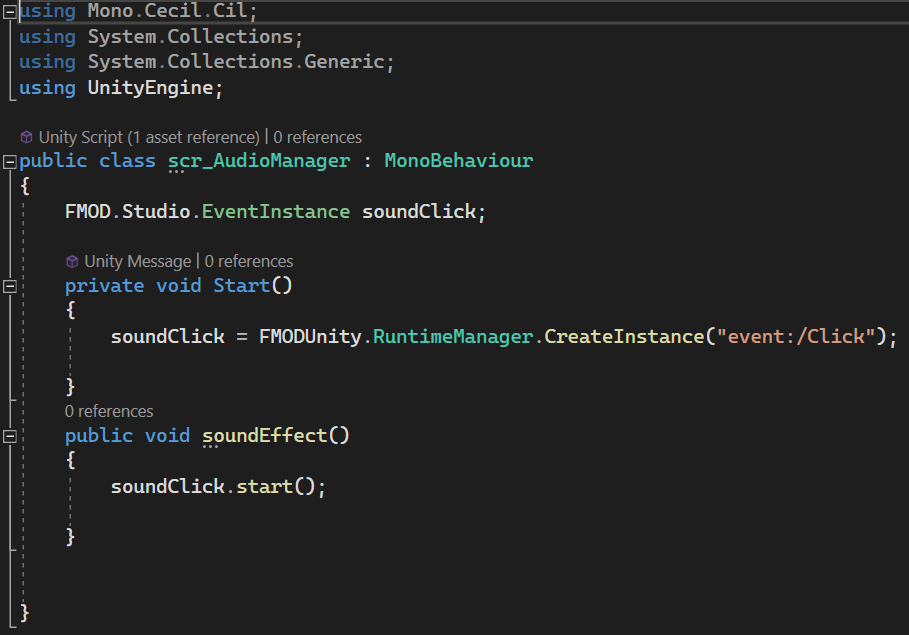
To add a clicking sound effect to this game, I used an FMOD event which I linked to Unity by importing the add-on through the Unity asset store. Once I had linked my built FMOD session, I was able to create an ‘EventInstance’ which allowed the sound I had used to play every time the button was clicked. For this to work, I needed to use the FMOD event manager in Unity so I could use the correct path for the sound event within my code alongside ‘CreateInstance’
What I Have Learned/What I Would Change
This was the first time I had ever used Unity before for a game, so this process helped me get an understanding of how the program works. I now know a good amount of the basic features, as well as now having a basic understanding of C# code, as I had no experience with this either. After integrating FMOD for my audio, I also now have an understanding of the code necessary to make a sound play on click.
One of the changes I would make would be to create an actual background for my game, instead of using a default colour. As well as this, I would add more upgrades similar to the two I already have because I feel like these two alone are not that interesting and could be improved.