Link to my game Death to Squirrels: here
The third prototype for my assignment that I was required to make was a Top-Down Shooter style game, meaning that my game needed to consist of shooting and movement mechanics for a player while enemies keep coming towards you, ending the game on contact.
Deciding a Theme
Instead of going with a more obvious theme like I did for my Space Invaders, I chose to create a game based on my cat getting revenge on squirrels, but the cat is armed with a rotating gun.
Sprites


These two sprites are what function as the player and the turret in my game. The cat is free to move wherever and the gun is attached to its back as a child asset and points wherever the mouse is.;


These are my three enemy variants. They each vary in the speed at which they approach the player and how many points they give when killed.

I also drew my own original background for this prototype. I decided to leave it as simply grass as it continues the cartoon-like style of the cat and the squirrels.
Scripting
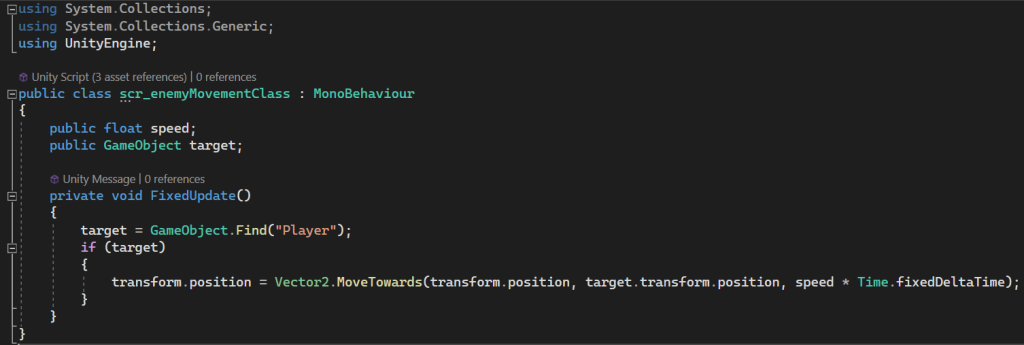
The enemy Movement Class script essentially makes the enemy sprites look for anything tagged as ‘Player’ within the scene and follow it. This alongside the Collision Class makes the player die on impact as they are being followed by an object with the ability to end the game.
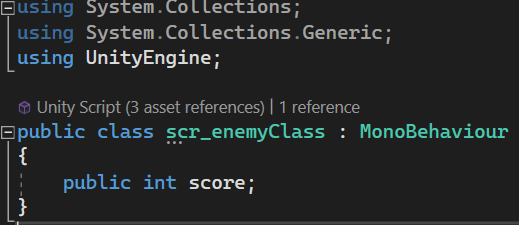
The Enemy Class script is the simplest one in the game as all it does is set the game score as a variable that can be changed by the player.
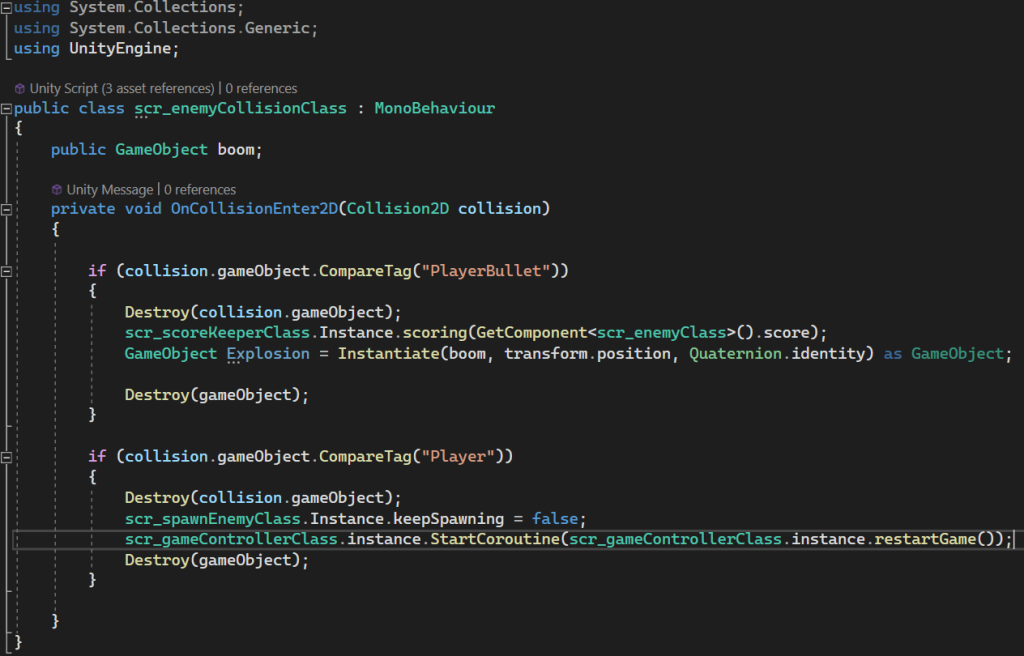
Enemy Collision Class tracks if an enemy has collided with one of the player’s bullets and destroys the game object if so. As well as this, it defines that if the enemy collides with the player, the game will end and show the restart screen.
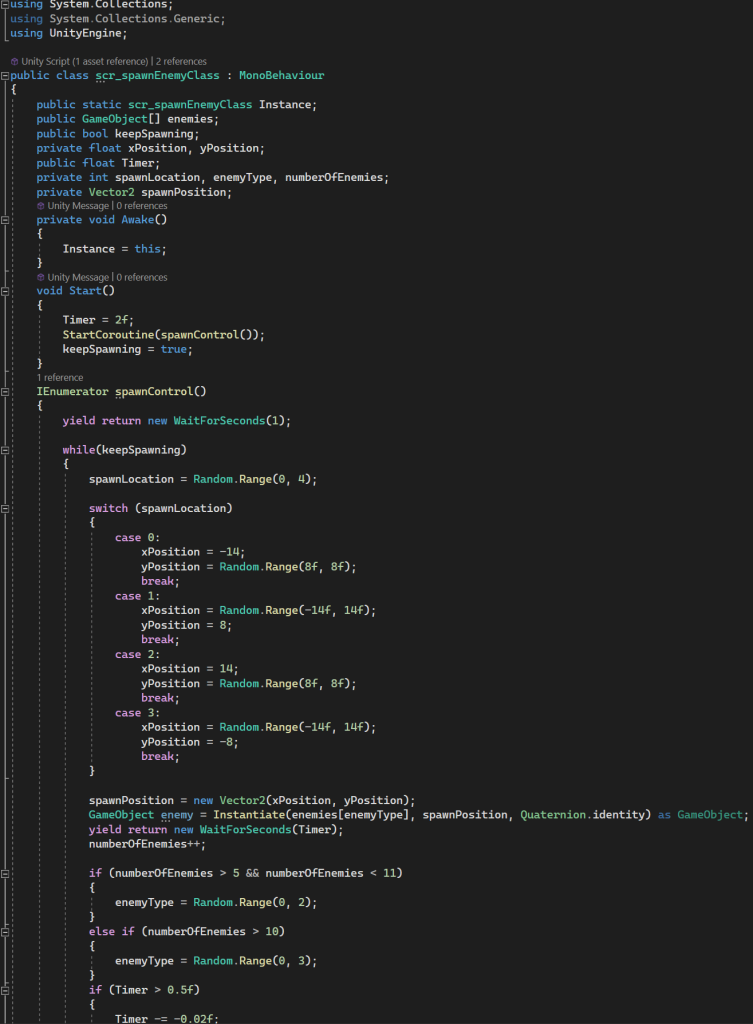
The Enemy Respawn Class uses four different cases to define areas around the edge of the game where the enemies can spawn and move towards the player. as well as this, it also specifies how many enemies can be spawned at one time.
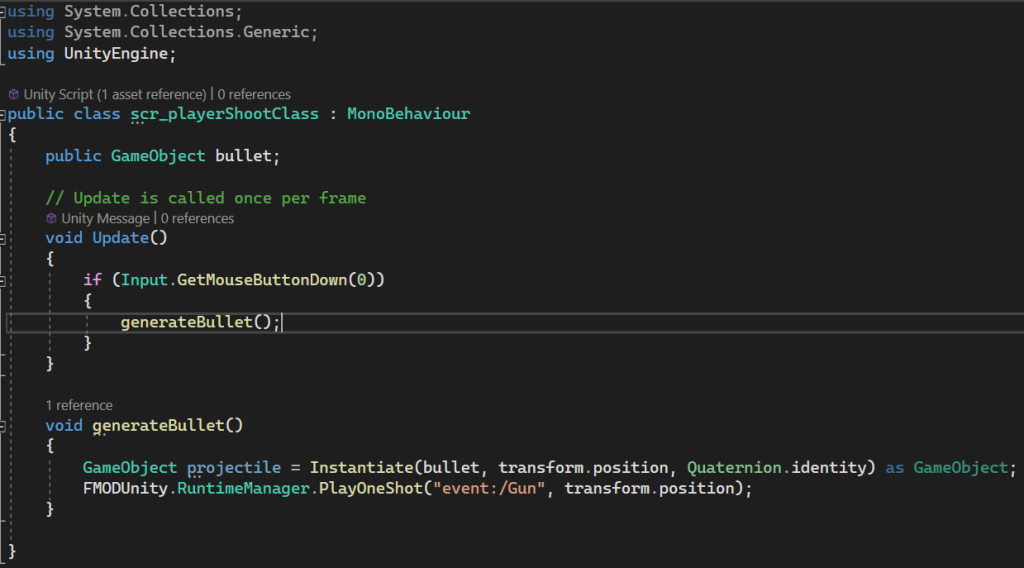
This script for Player Shoot Class is relatively simple as it states that when the left mouse button is pressed, a bullet prefab is spawned, as well as playing the FMOD sound I added.
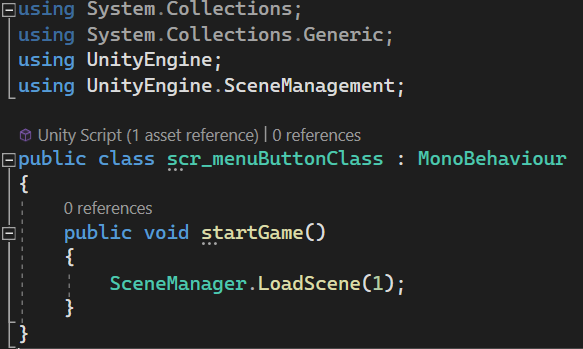
Menu Button Class is simply how the player moves from the start screen to the actual game by clicking on the button asset at the start.
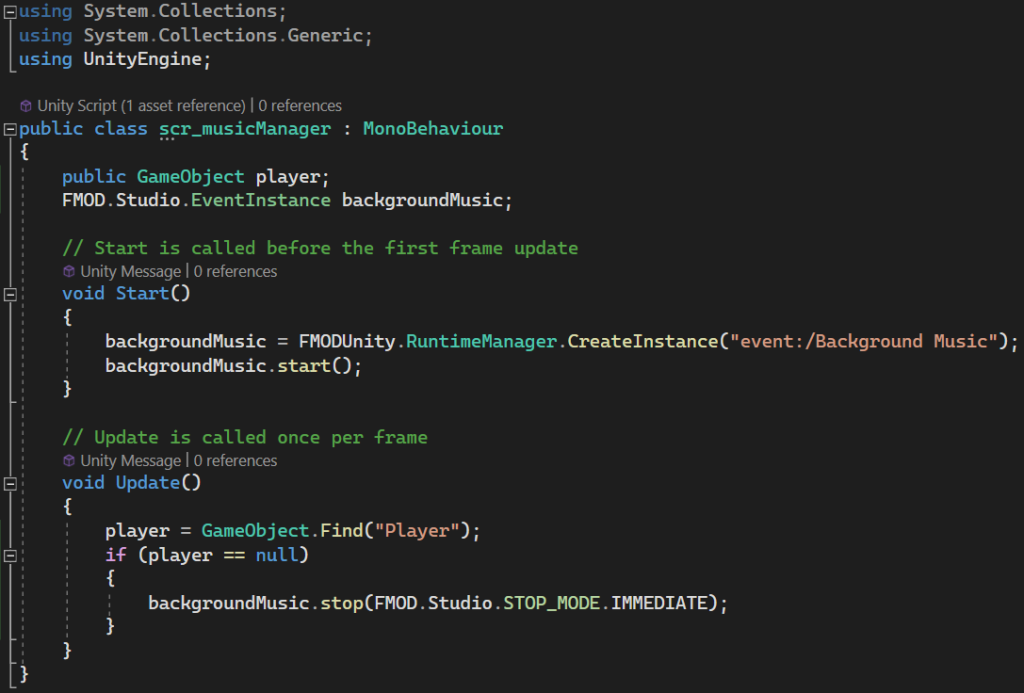
The Music Manager script is a script to play the background music throughout the game, but also to stop the music if the player dies and restart it as soon as they respawn
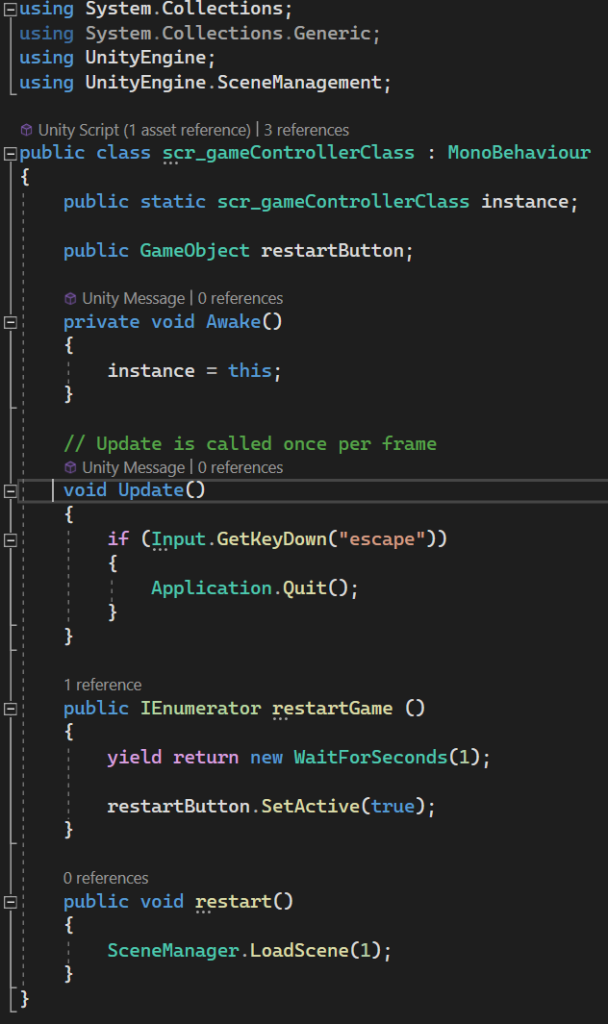
For the final script Game Controller Class, I again added a way to exit the game by pressing escape, but as well as this, I also added an IEnumerator where the game restarts a second after clicking try again on death.